Godot, with the friction taken out.
Lumos is a game editor built on Godot 4.7. Your scenes stay ordinary Godot scenes. Nearly everything around them has been rethought.
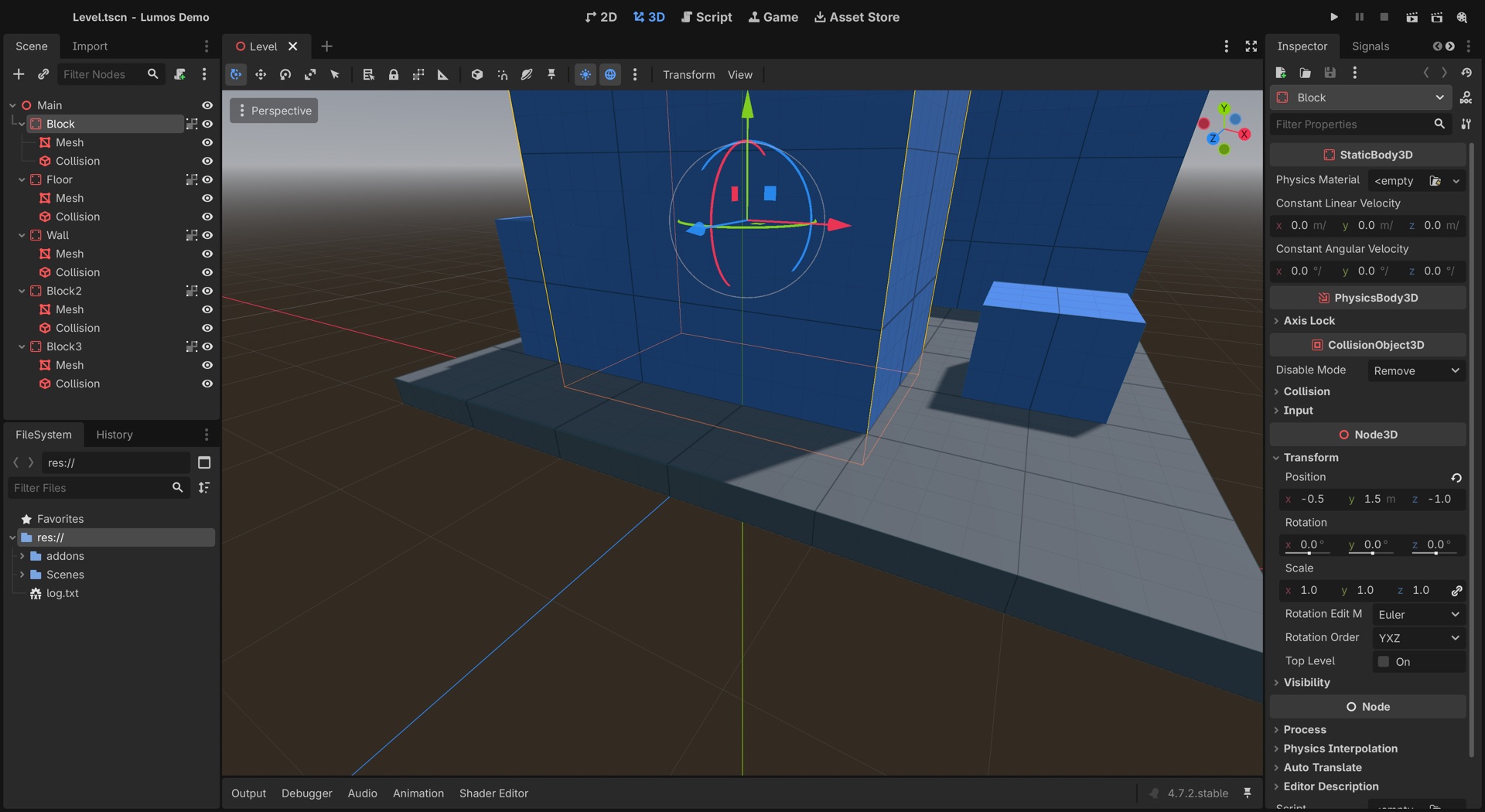
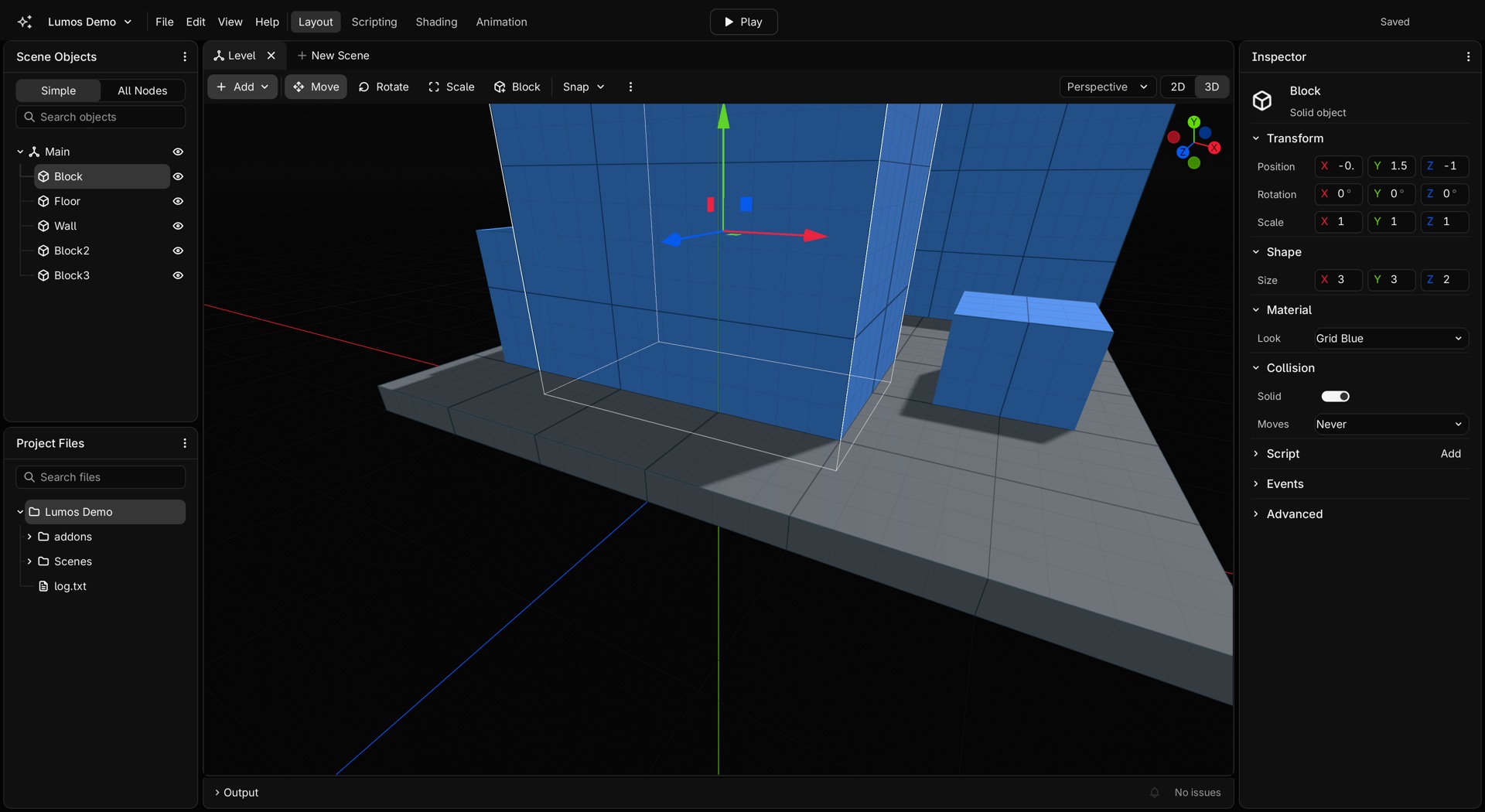
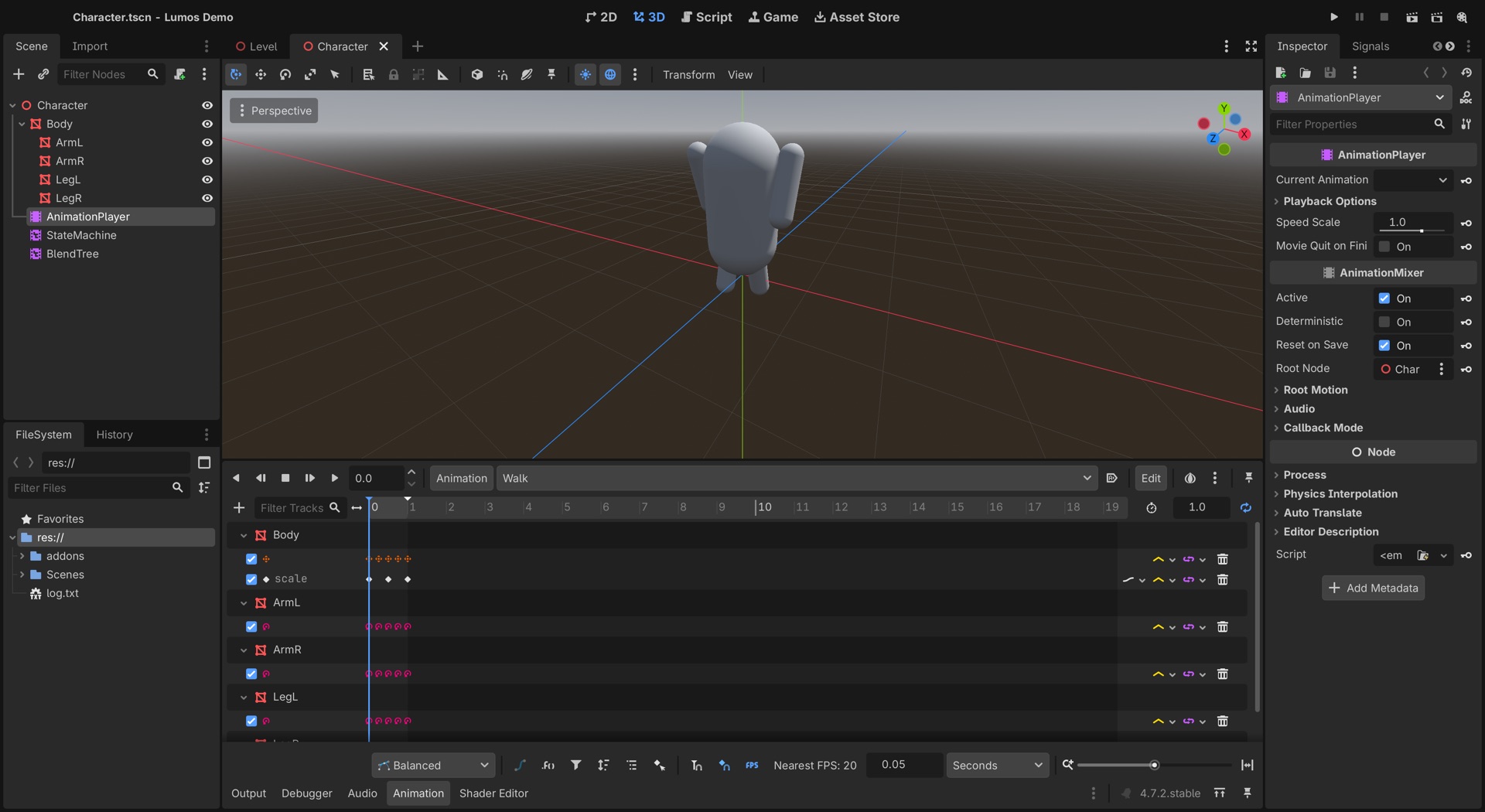
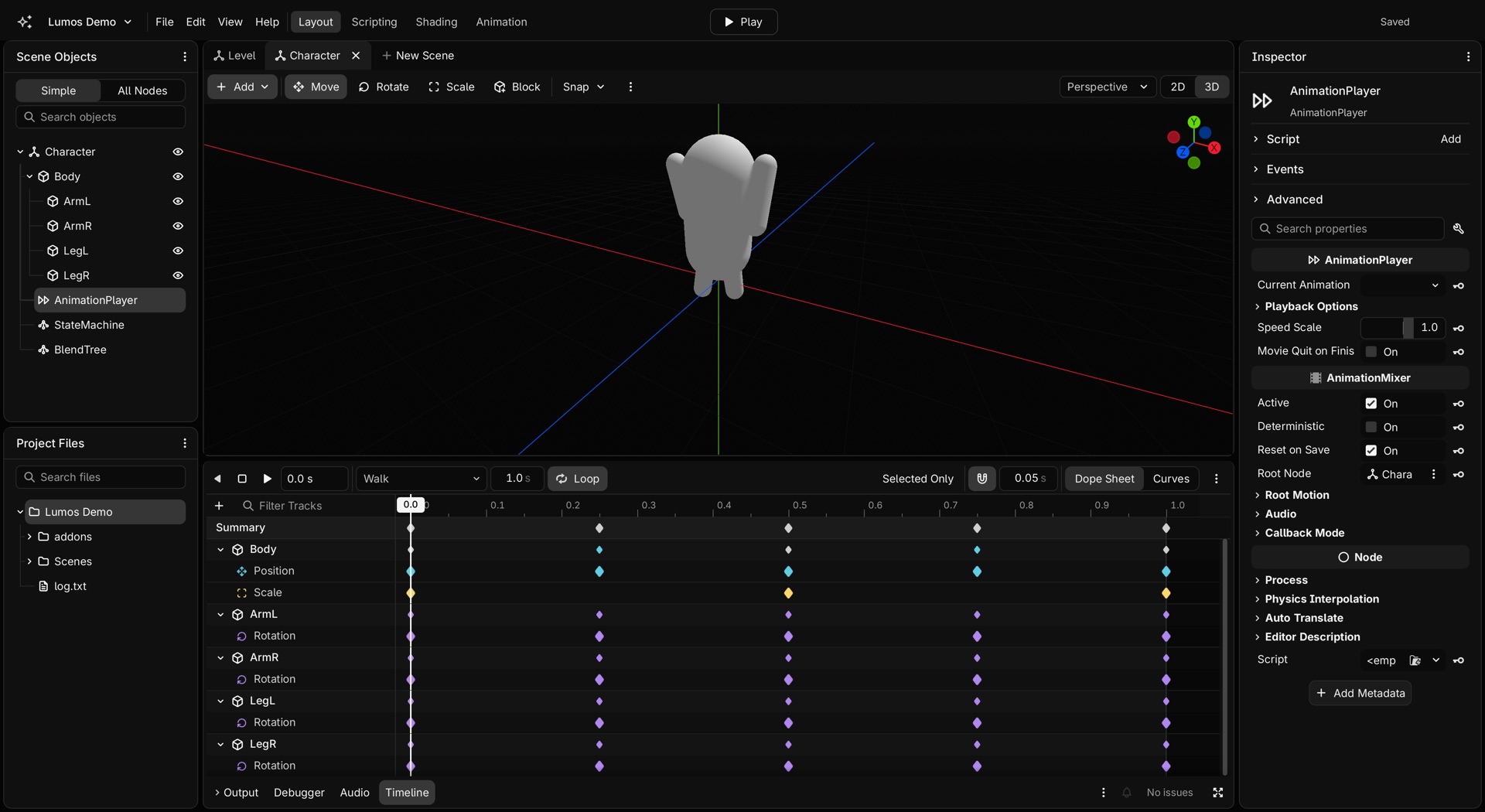
Switch to Before on any picture. Every comparison is a real capture of the same project, in official Godot 4.7.2 with default settings and in Lumos.
Making a solid cube used to take 19 inputs. Now it takes two: Shift+A, Enter.
The animation timeline
Keys are coloured by what they animate, tracks have icons, and a Curves view gives you real handles. It was rebuilt around how Blender people work, so you can read it at a glance.
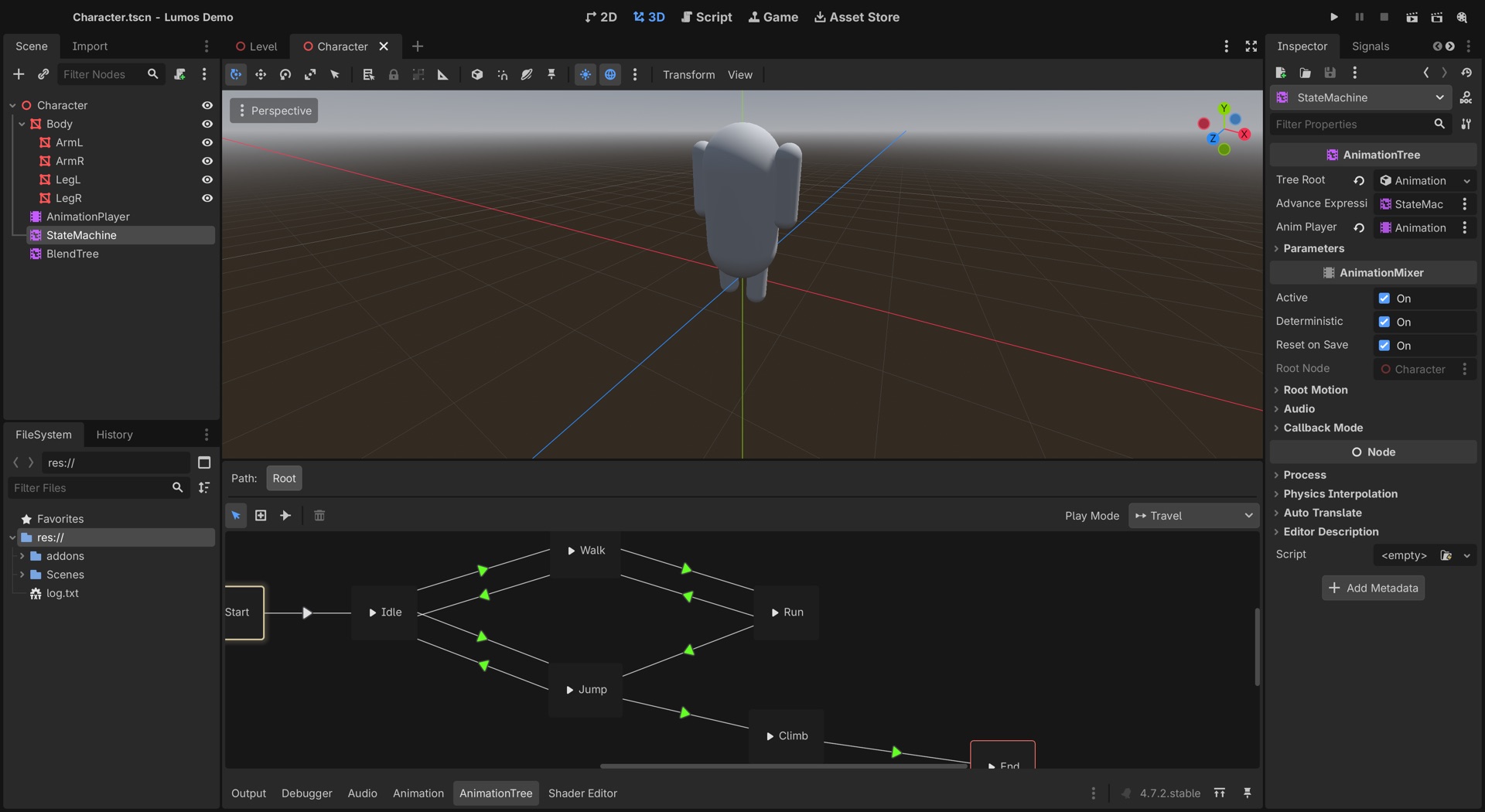
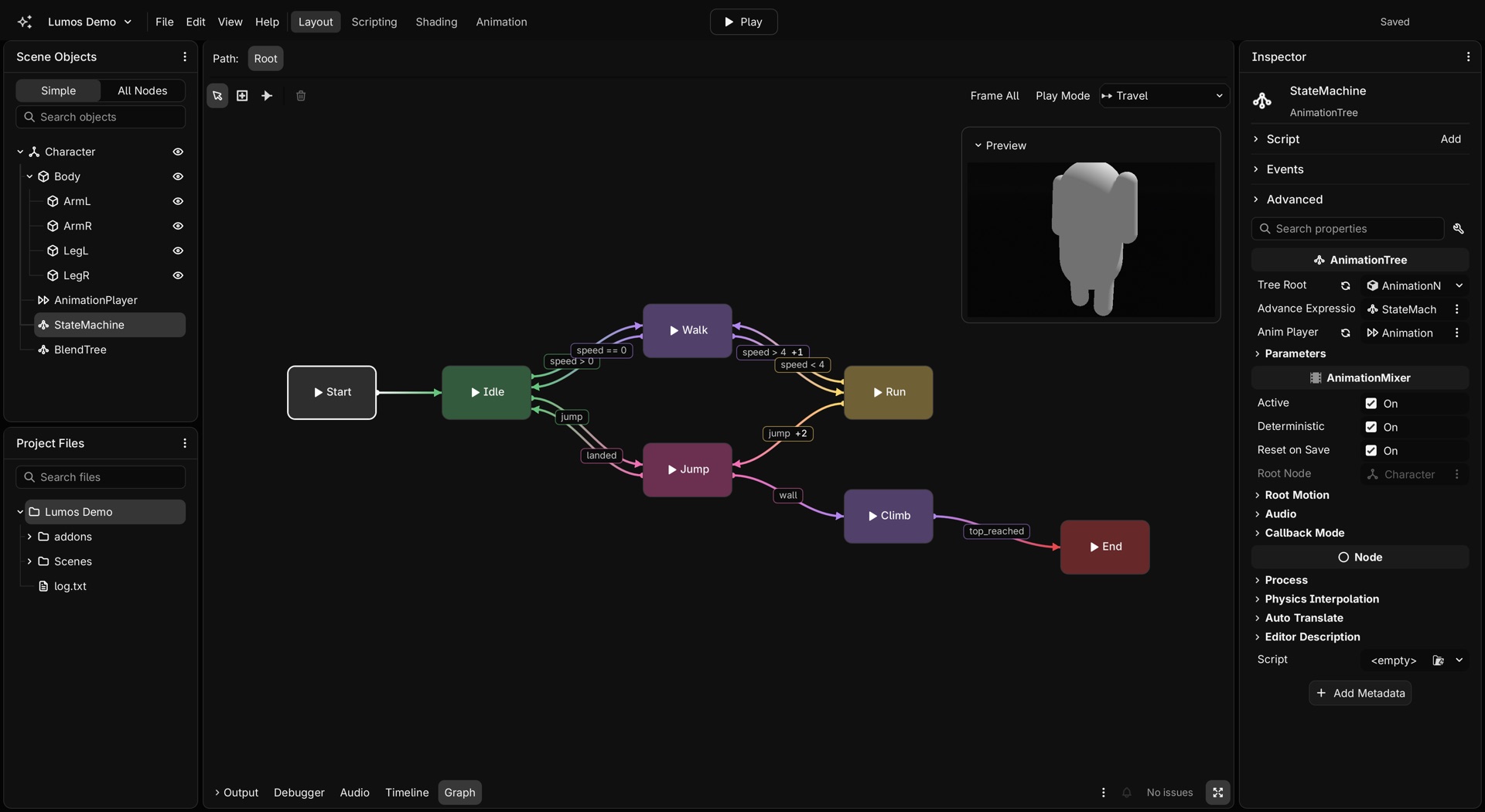
The animation graph
Godot draws thin lines between small boxes. Lumos gives states colours, lets rules sit on curved lines, and adds a live preview beside the graph.
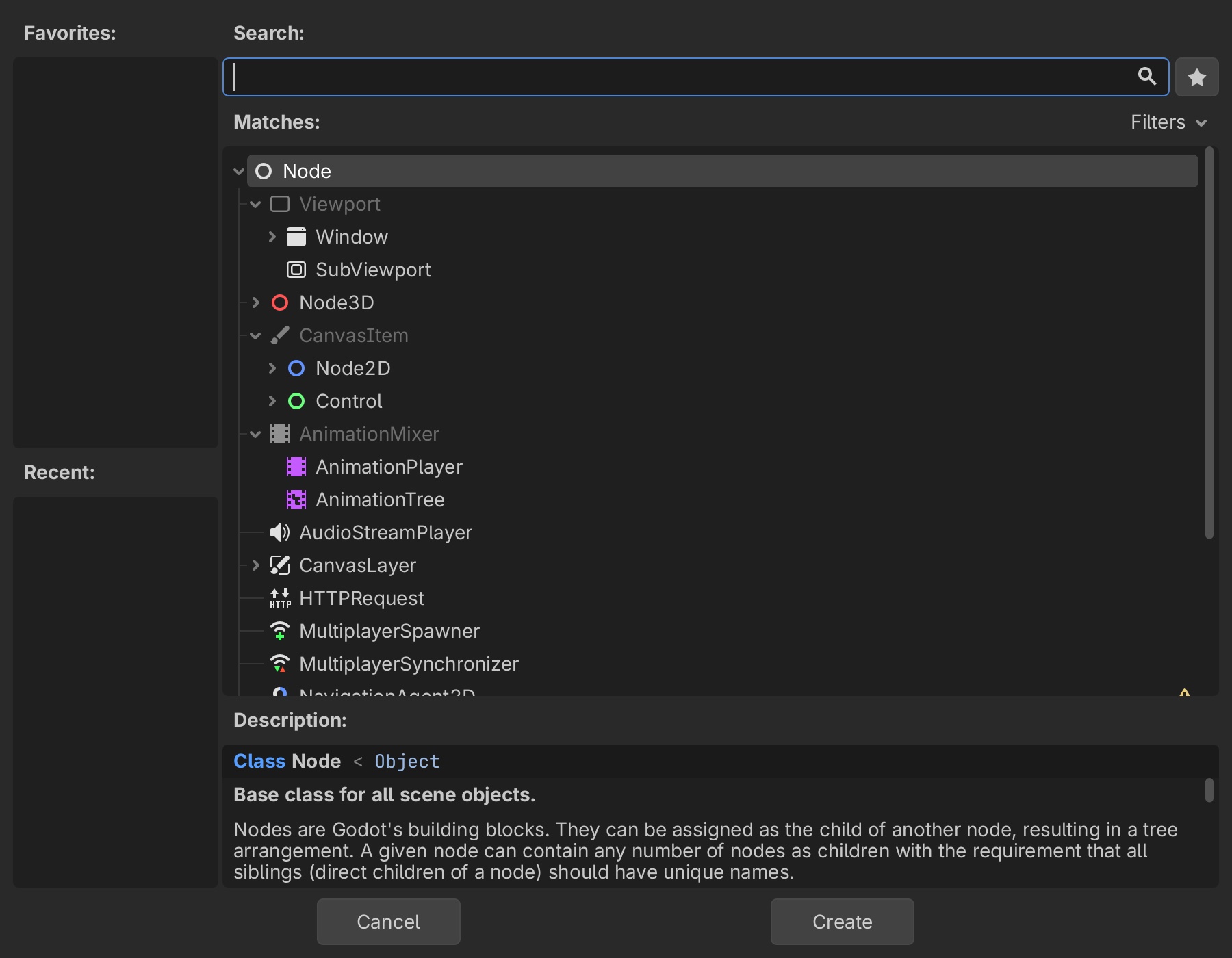
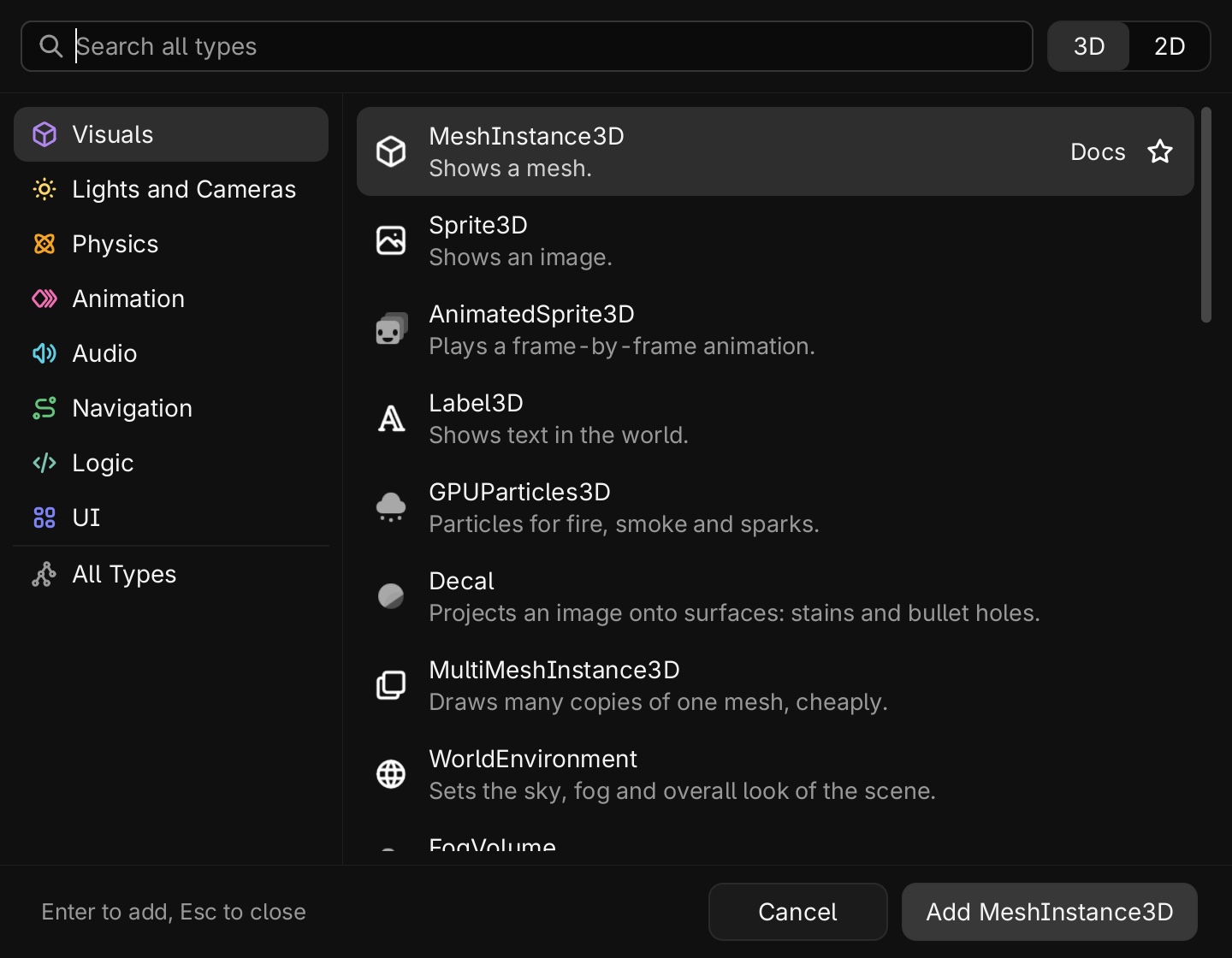
Adding a node
Pick a job, not a class. Each type says what it does in plain words. Engine, plugin and project types stay apart, and a project type offers the scene built around it, so its children come too.
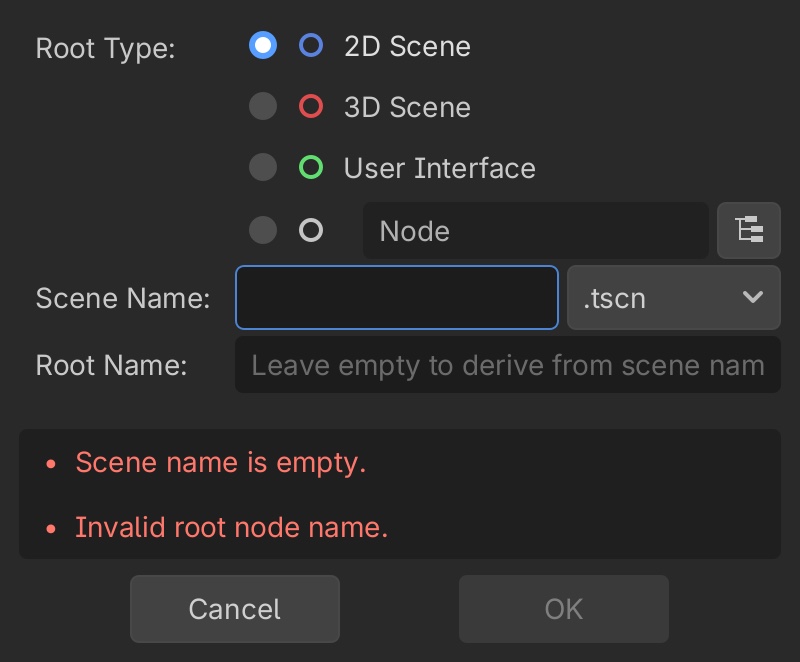
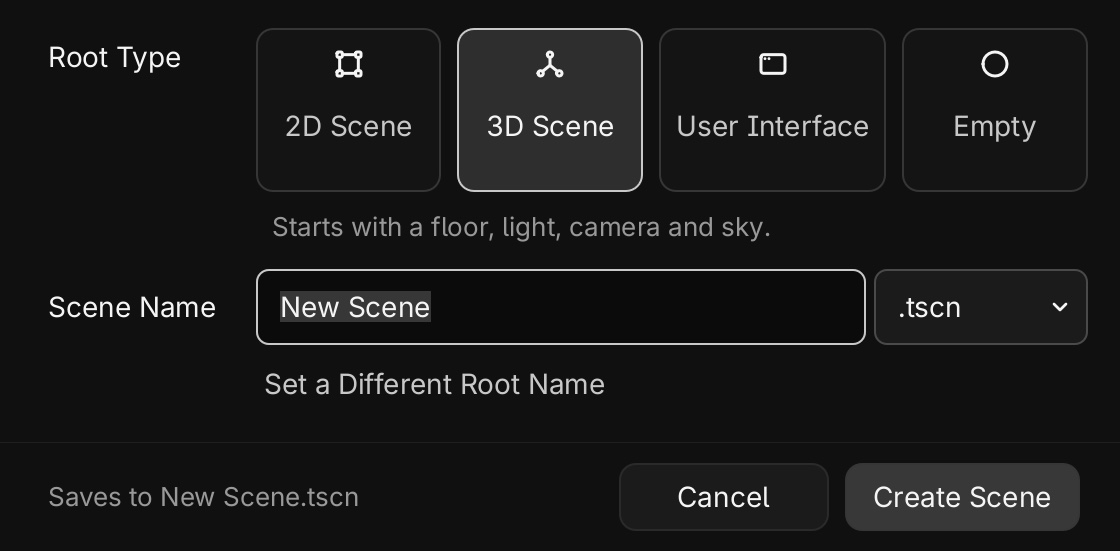
Starting a scene
No red errors before you have typed anything. Every card is a starter, so 3D Scene arrives with a floor, light, camera and sky that you can play straight away.
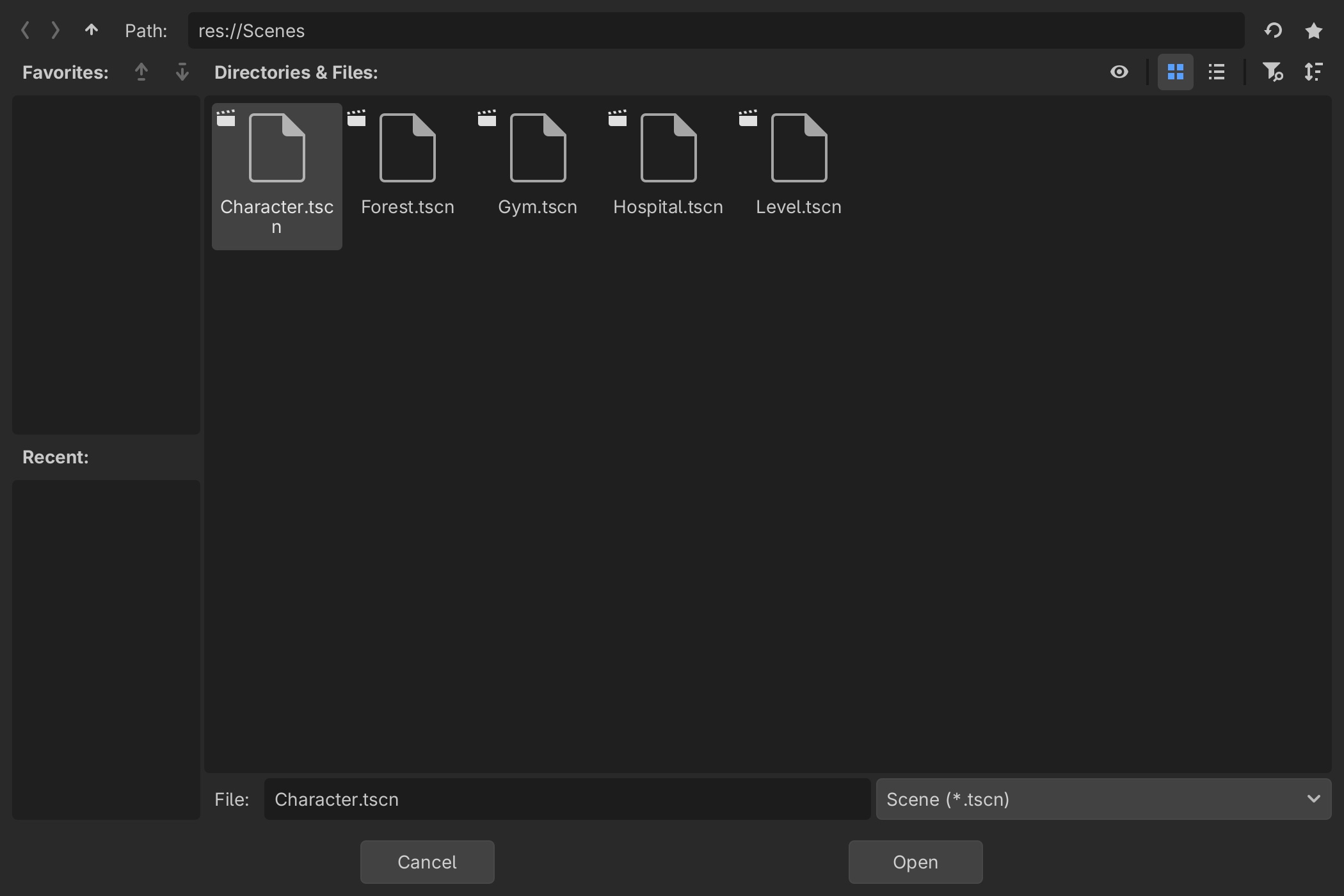
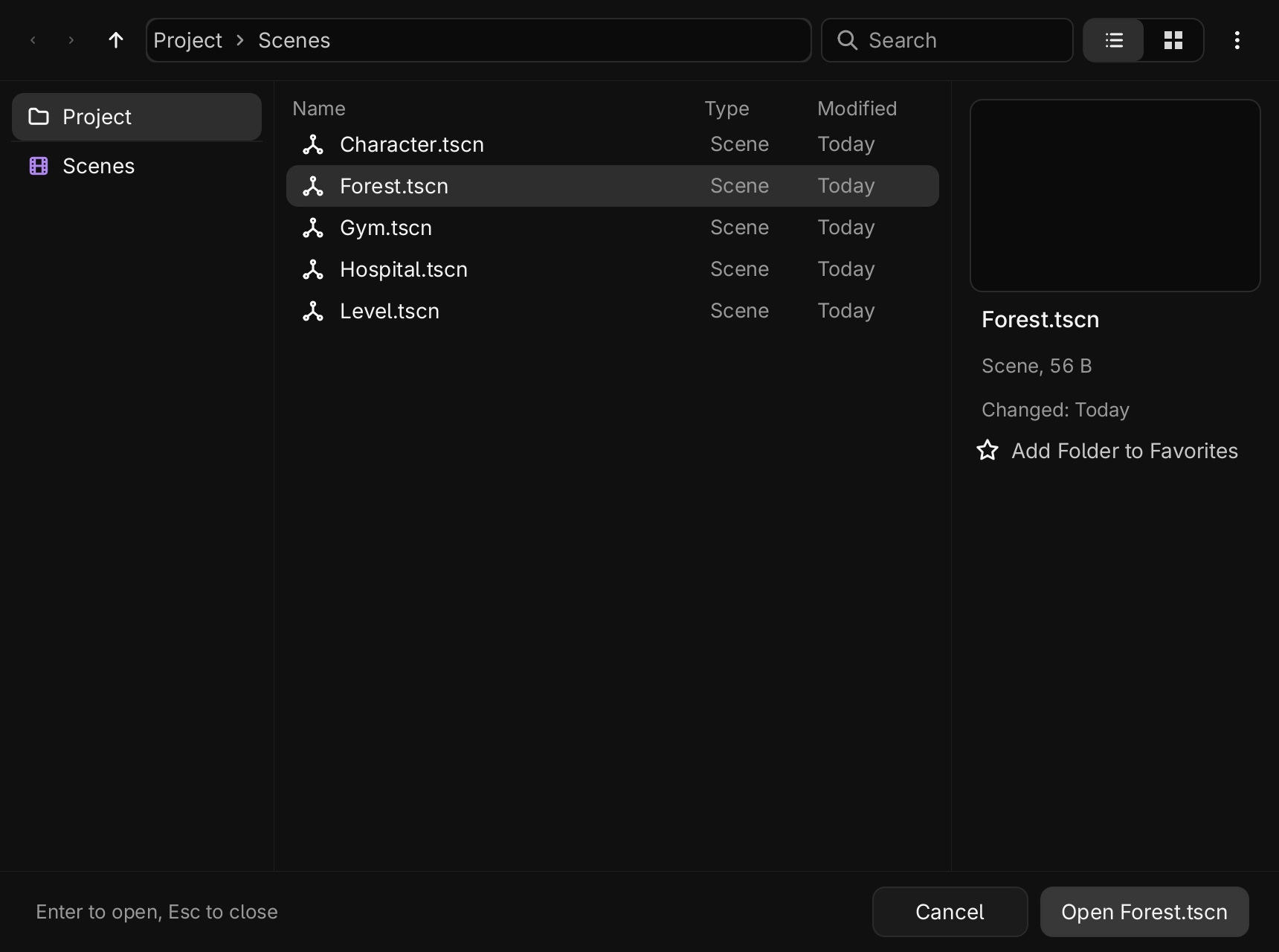
Opening and saving files
Places on the left, file types across the whole project, a clickable path and a preview. When a name is taken, the button says Replace.
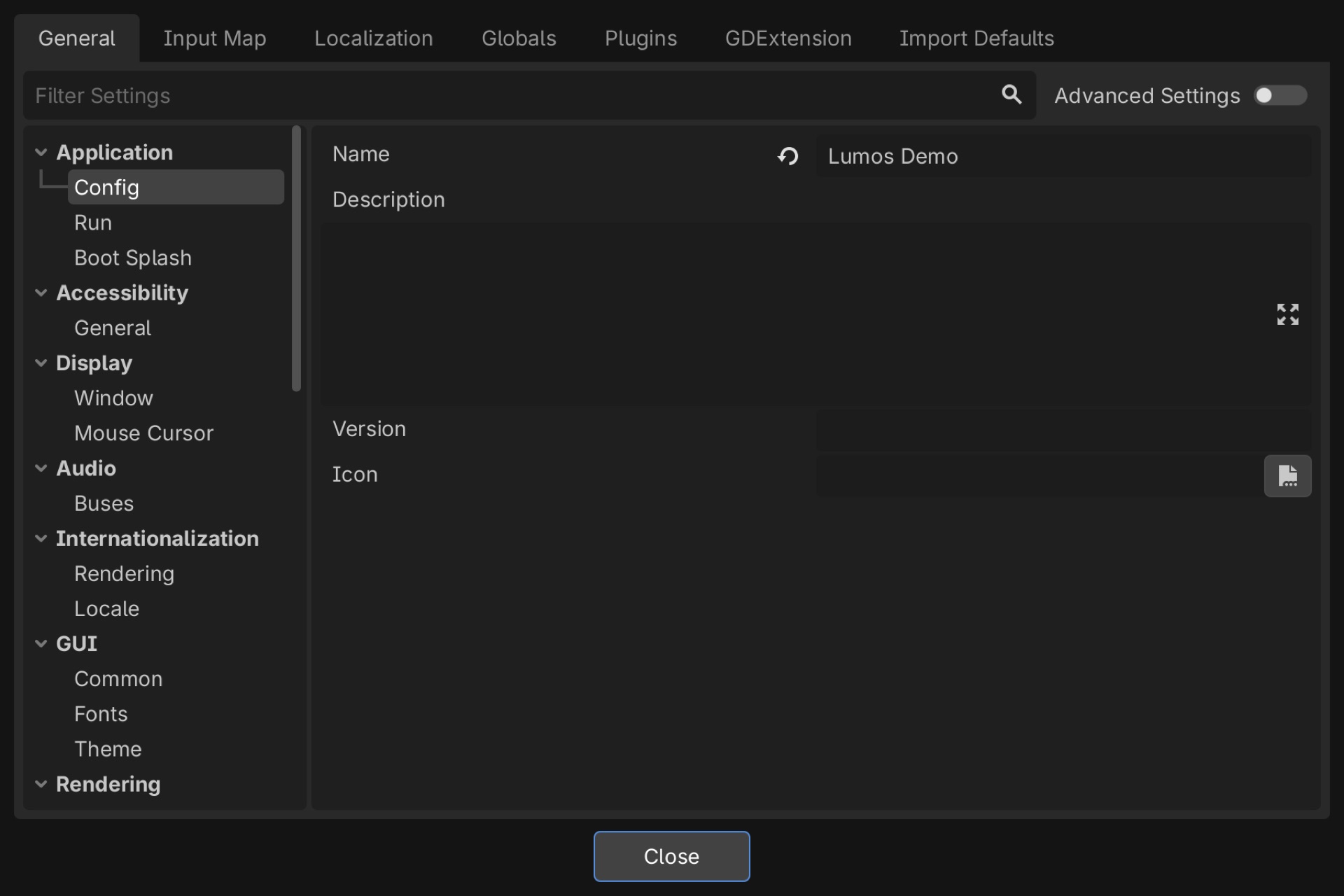
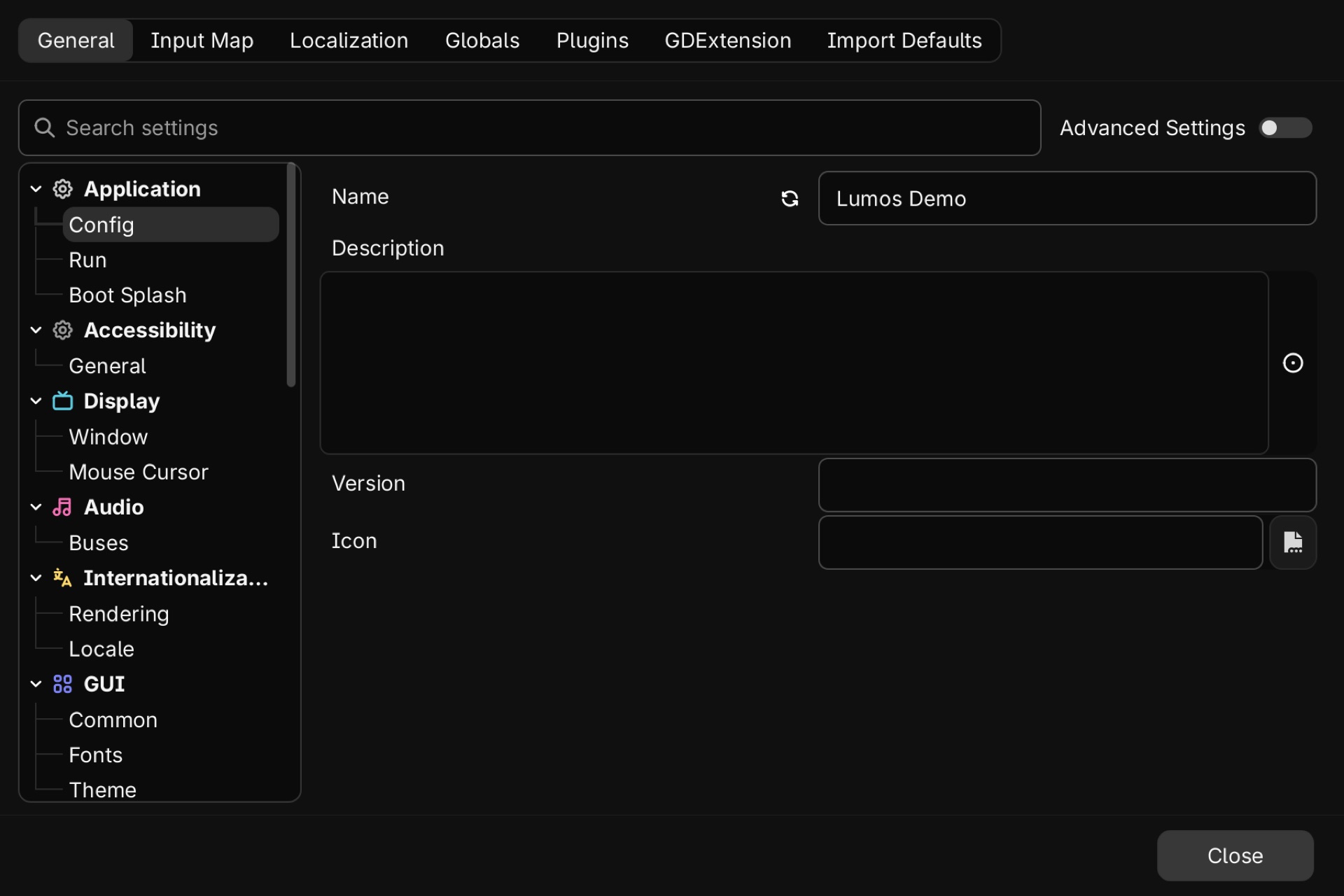
Settings
Same settings, easier to read: tabs become a switch, sections get colour icons, and fields are big enough to find.
New in Lumos
Things Godot doesn't have out of the box, most of them inspired by the tools people love most.
Shift+A to add anything
Primitives and game objects at the mouse, with the node setup done for you. Search understands words like box, floor and player.
Block tool
Press Shift+B, drag a footprint, pull up a height. Inspired by Valve's Hammer: strict grid, player-sized guide, solid straight away.
Simple and All Nodes
See one row per object while you work, and every node when you need it. Nothing changes in the saved scene.
Scene starters
2D, 3D and UI scenes start playable, with the camera, light and ground already there.
Objects, not node recipes
One Inspector for transform, shape, material and collision. Resize the mesh and the collision together.
Project scenes, added properly
Pick your Door class and get door.tscn with its children, not a bare node that errors.
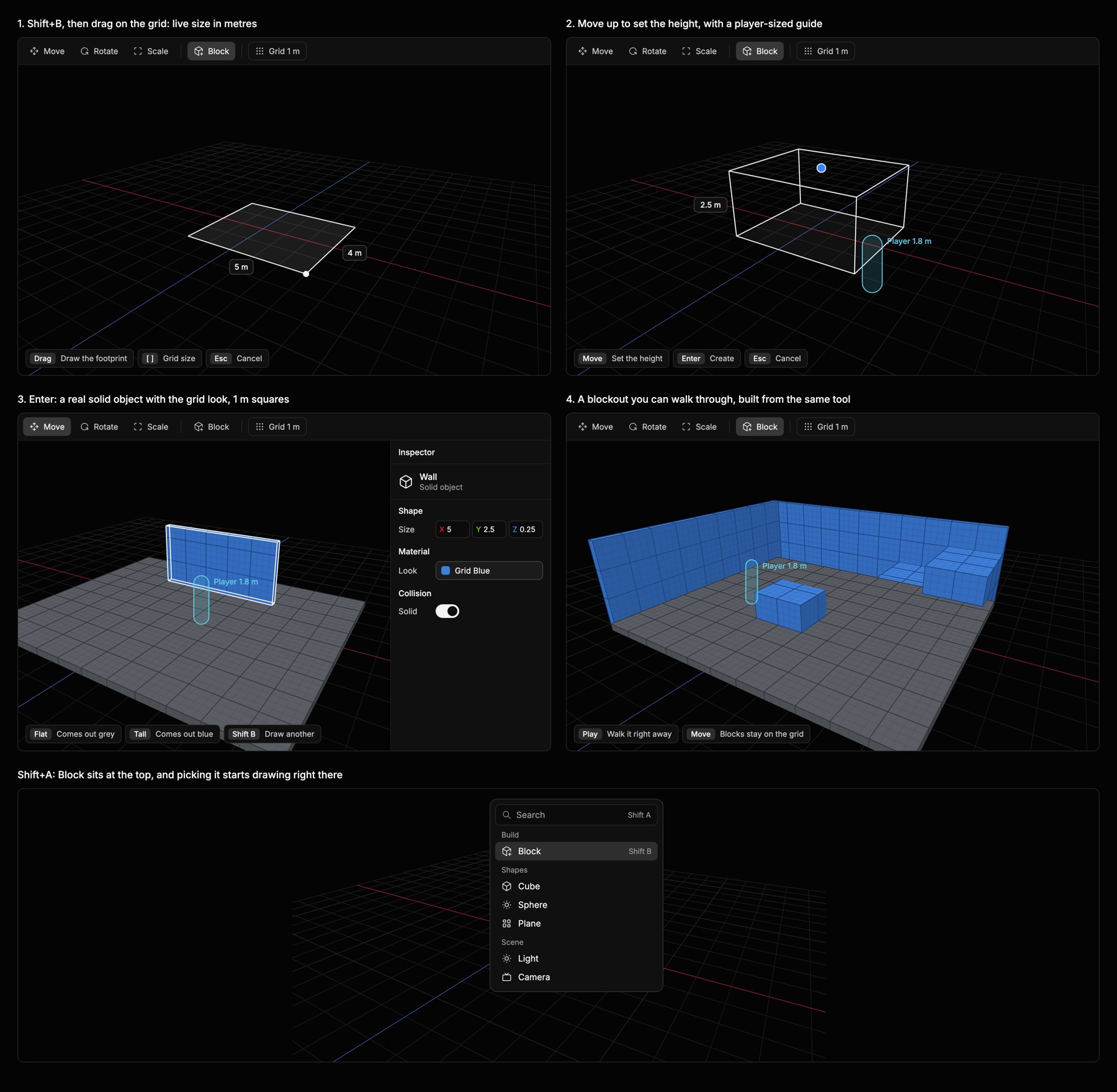
Block tool design mock. The tool itself ships in this version.
Install
Lumos isn't notarized by Apple yet, so macOS asks you to confirm the first time.
- Download the zip and open it.
- Drag Lumos into Applications.
- Open it once. When macOS stops it, go to System Settings, Privacy & Security, and choose Open Anyway.
Prefer Terminal? This does the same thing:
xattr -dr com.apple.quarantine /Applications/Lumos.app
Lumos needs an Apple Silicon Mac. This is an early build: Windows and Linux aren't available yet, and exporting games isn't included. Back up projects before you try it.
SHA-256 7f9b25aa6a0e0600e76cc76513d2a8dbc7265f56458f4789c94a85684fb3f375